

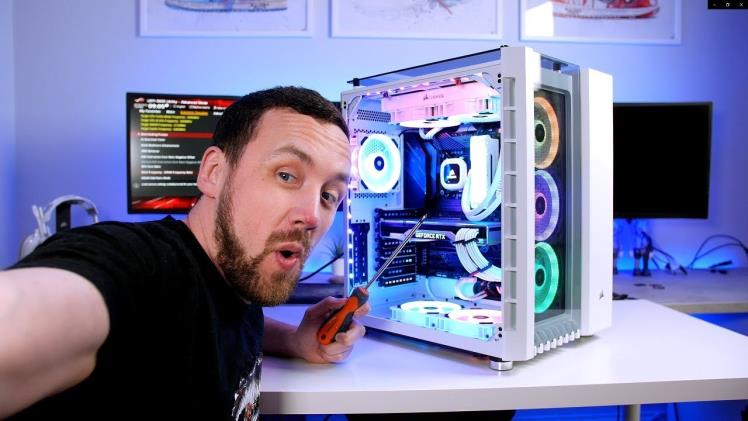
You’ve probably been gaming for a while and have realised that your PC just isn’t up to the task; if you are going to walk into an IT store and ask for the best gaming rig, you’ll need deep pockets. Some don’t care about the cost and make the sacrifice, while others choose to downgrade from the top shelf to the medium performance range, where PCs are more affordable; yet there is another way – Self-build the PC and save a lot of money.
Component Reviews
Whether you are ordering a mainboard DDR4 or the top video card, search YouTube for pro reviews and listen to what they say. Pro gamers put each component through gruelling tests before they give it the thumbs up, or down, as the case may be. YouTube is also brilliant for PC building in general; find a video that shows the entire build, so you can’t really go wrong.
Here is a list of essential components you’ll need for your gaming PC build.
- Case – Typically with a few fans installed.
- Mainboard – Make sure the board is DDR4 compatible.
- CPU – Intel core i9 or at least core7i (a later generation) or equivalent AMD chipsets.
- Video/graphics card – A minimum of 4Gb of VRAM is required for serious real-time online gaming.
- RAM – At least 16Gb of DDR4 RAM is required if you want to call your rig ‘top-end’
- SSD – Solid state drives are preferred to HDD, as spinning drives are limited re data transfer speed. At very least, C Drive should be SSD, while additional drives where you store data can be HDD. The OS should be on an SSD, which will give you extremely fast boot up and response.
- Power supply – Choose a high-end power supply.
- Monitor – Go for a curved gaming monitor and you won’t regret it.
- Gaming keyboard – The online Thai computer parts supplier has the best gaming keyboards, all backlit with some handy extra keys that you can designate. Going wireless eliminates those ugly cables.
- Gaming mouse – Wireless, of course and a known brand like Logitech has the best units.
Things you will need
- A large table on which to work
- Decent lighting
- Screwdriver set
- Plastic cable ties
The great thing about ‘plug and play’ is it is impossible to make mistake when connecting components, each has a special connector that only fits with the intended component. Click here for the best racing games ever made.
The mainboard can be worked on prior to installing it into the case; you can seat the CPU (follow the instructions), seat the graphics card and RAM chips. Then you can install the power supply unit into the case, which should line up with the case shape. Set the mainboard with the provided screws, hook everything up and double check all connections, then turn on the PC and you are ready to install the OS.
Assuming you know how to install the software, it won’t be long before you’re logging into your game platforms.
Note: You should always be careful when working with electrical components, as there are risks.
